A better daily view for Home Assistant
Your whole home.
One calm glance.
CasaRay turns a large Home Assistant setup into a home you can read in seconds: what is open, what is on, what needs attention, and what matters today.


Built for the house, not the entity list
See the whole picture.
Then act with confidence.
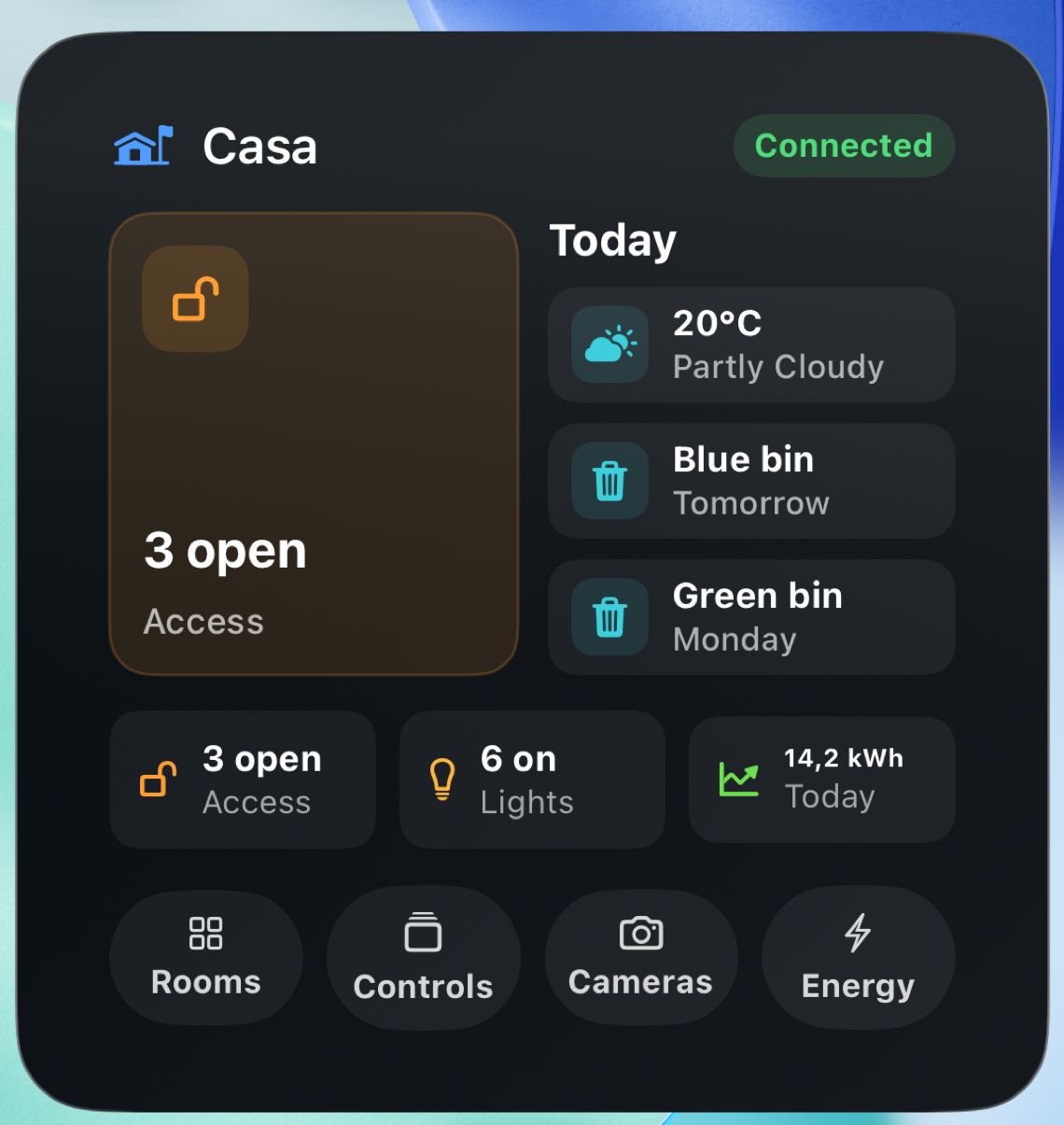
CasaRay organizes a large Home Assistant home as a home: a useful summary first, then control groups, active rooms, and individual devices. Sixty lights can stay sixty lights without becoming sixty equal-weight cards.
At home in either appearance
Bright by day.
Calm after dark.
CasaRay is designed in light and dark mode as one visual system. The website follows your device automatically, and the control above lets you switch whenever you prefer.


House Now answers the first question
See open access points, active lights, indoor comfort, and energy context before choosing a room or device. The light count opens whole-home Lights, including one All Off action.
Today belongs beside the house
Weather opens a full forecast center. Waste opens the collection schedule. Bounded work such as a vacuum or mower stays visible while it is running.
Depth stays one tap away
Rooms, grouped controls, cameras, energy, scenes, and precise device controls remain close without taking over the first screen.
Useful before you open the app
The right surface
for the moment.
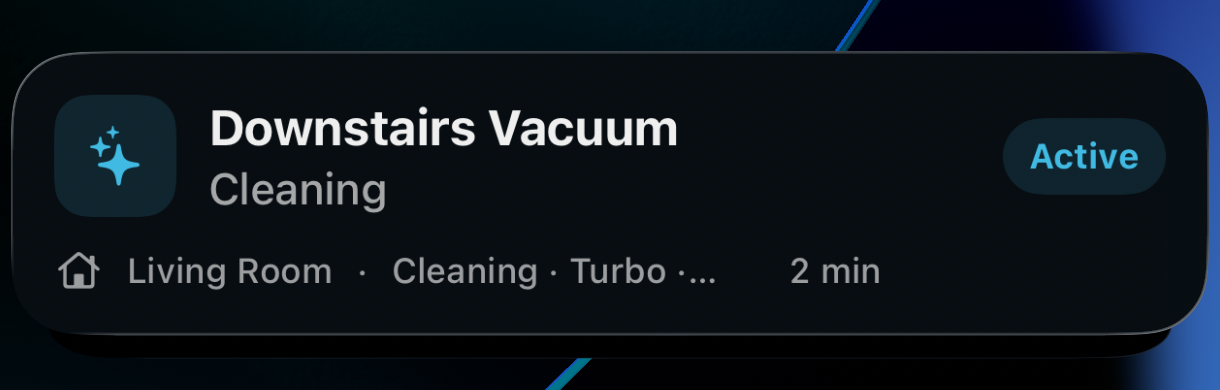
CasaRay carries the same calm hierarchy into Apple system surfaces. Widgets are interactive routes, not passive tiles: weather, waste, lights, and cameras open the exact place in CasaRay. A Live Activity appears only for work that is genuinely in progress.
Present while the house is doing something.
Follow a vacuum or mower from the Lock Screen and Dynamic Island. When the work ends, the surface goes away.


When a glance is not enough
Cameras and energy get their own visual centers.
The daily dashboard stays concise. Dedicated screens can then show a featured camera, live views, current energy balance, leading consumers, and room-level detail without flattening them into generic metrics. Single-camera viewing remains part of CasaRay Free. On iPad and Mac, CasaRay Plus adds Live Wall for up to four or six cameras at once.

Use CasaRay. Keep Home Assistant.
A better front door,
not another walled garden.
Home Assistant remains your source of truth. CasaRay is for the everyday moments when you want the house to feel simple. When you need deep configuration, the official app's mature video experience, or an existing notification workflow, open the right place in Home Assistant directly from CasaRay.
Home Assistant, Apple Home, or both
Choose the best route
for each part of your home.
Apple Home is an optional CasaRay Free provider on iPhone, iPad, and Mac. Choose the accessories CasaRay may add, combine matching devices deliberately, and keep Home Assistant as the preferred source wherever it works best.
One calm product model
CasaRay normalizes Apple Home accessories into the same rooms, devices, state, and safe actions used throughout the app. Provider details do not leak into everyday screens.
Native Apple Home cameras
Supported cameras use Apple's protected snapshot and live-session path, with incoming audio and talkback when the accessory exposes them. Apple Home recording history remains in Apple's apps.
You decide what combines
CasaRay never guesses that two provider devices are the same. Pair them explicitly, then choose the preferred provider route for supported capabilities.
CasaRay Plus · Experimental
Ask naturally.
Keep the home in control.
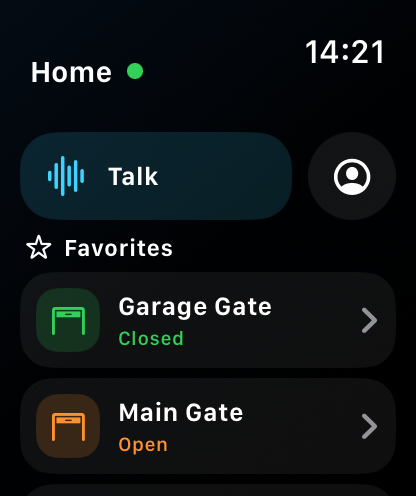
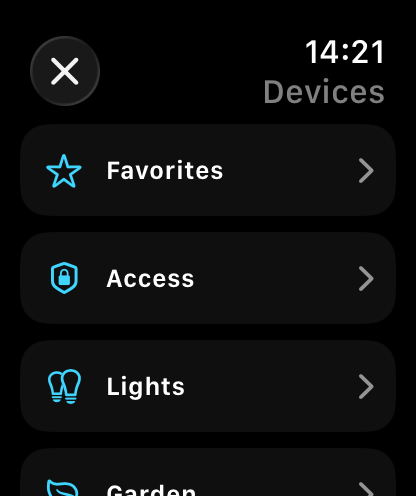
CasaRay Assistant brings chat, realtime voice, images, home questions, diagnostics, and permitted device control into the same native app. It can inspect the normalized home CasaRay already understands and use Home Assistant tools when needed on iPhone, iPad, and Mac. Apple Watch adds compact status and manual home controls through the paired iPhone. Plus adds experimental Assistant voice on Watch through that same runtime instead of storing ChatGPT credentials or creating another home-control engine. CarPlay provides the approved voice-first Assistant and bounded manual controls through Apple’s system templates; it does not expose a general smart-home dashboard.
Talk or type in your own words
Ask what is on, investigate a problem, or request several related changes. Speech and model output can still be misunderstood, so CasaRay shows the transcript, the resulting actions, and the reported device state.
Your access rules remain the boundary
Choose which rooms and device categories Assistant may control and which actions run immediately, need a spoken confirmation, require an on-device tap, or stay blocked. OpenAI never receives your Home Assistant credential or a direct connection to your home.
Powered by a separate ChatGPT account
Assistant requires CasaRay Plus and an eligible ChatGPT account authorized in OpenAI’s browser. OpenAI controls available models, voices, account limits, service availability, and continued access. Those can change independently of CasaRay.
Experimental means exactly that. CasaRay Assistant may be delayed, unavailable, inaccurate, or changed as CasaRay and OpenAI’s services evolve. It is offered only in storefronts where the underlying OpenAI service is supported and is unavailable in the mainland China storefront. The rest of CasaRay, including non-AI Plus features, remains available there. Assistant should not be the only way to perform a critical home action.
Private by design, clear by default
The app can see your home.
Evotec cannot.
CasaRay needs the Home Assistant access you grant it so the app on your Apple device can show state and send controls. Evotec does not receive your Home Assistant token, device inventory, camera feeds, energy data, or control access. If you enable the experimental Assistant, the app sends your prompts and the relevant home context to OpenAI to answer or prepare permitted actions.
When CasaRay is closed, Apple delivers remote notifications through Apple Push. The CasaRay relay exists only to pass your Home Assistant alert to Apple for delivery. It forwards the alert in memory and does not save it.
Prompts, voice audio, selected images, and relevant home context go from CasaRay to OpenAI under the ChatGPT account you authorize. Evotec does not receive that content. OpenAI’s terms, privacy policy, workspace settings, and retention rules apply.
Can you browse my home?
No. There is no CasaRay dashboard or remote access to browse your rooms, state, cameras, or energy. If you enable the optional relay, individual alert text is forwarded in memory and not saved.
Can you control it?
No. CasaRay sends your actions from your device to your Home Assistant with the permissions you granted.
Do camera feeds reach you?
No. CasaRay loads snapshots and streams from your configured provider to your device, not through CasaRay servers.
What reaches CasaRay servers?
Only the narrow notification path when you enable it, plus information you deliberately send to support.
Free is the product. Plus is optional.
Your whole home works for free.
CasaRay Free is not a timed demo. Connect one complete Home Assistant home, optionally add selected Apple Home accessories on iPhone, iPad, and Mac, keep every room and device, and use the live controls, cameras, alerts, and everyday personalization that make CasaRay useful. Plus adds multi-camera Live Wall on iPad and Mac, notification history and rules, Home Assistant dashboards, advanced navigation, and—in eligible storefronts—the experimental Assistant.
Connecting, seeing, and controlling your complete home does not require Plus. Paid features can add more ways to organize and automate without taking core control away from Free.
Everything you need every day
- One complete Home Assistant home
- Optional Apple Home accessories and native camera sessions on iPhone, iPad, and Mac
- All rooms and devices—no device-count cutoff
- Live state and device control
- Camera snapshots and live streams
- Latest camera activity and detection history
- Basic notification delivery
- Status widgets and everyday personalization
- Apple Watch status and manual home controls through the paired iPhone
- Bounded CarPlay home controls through Apple’s system templates
- One-tap handoff to Home Assistant
More ways to organize and act
- Everything in CasaRay Free
- Experimental Assistant with ChatGPT chat, realtime voice, images, diagnostics, guarded home control, optional public web search with source links, Watch voice, and the approved voice-first CarPlay experience through the paired iPhone*
- Multi-camera Live Wall—up to four cameras on iPad and six on Mac
- Notification history and rules
- Your Home Assistant dashboards inside CasaRay
- Customize primary navigation and dashboard placement
- One subscription works on your iPhone, iPad, Apple Watch, and Mac with the same Apple Account
See what Plus adds
Everyday home
What Plus adds
If Plus ends, your home does not disappear. CasaRay Free continues with your connection, complete inventory, live state, daily controls, cameras, basic notifications, and everyday personalization. Only Plus features become unavailable.
Available on the App Store
Bring calm control
home today.
Download CasaRay for iPhone, iPad, Apple Watch, and Mac. Purchases and subscription management are handled only through Apple's App Store.